To fully uninstall Snap Captions 2, whether for troubleshooting or a clean reinstall, you need to delete two sets of files on your Windows or Mac system. This guide shows you where to find them.
1. Step 01 - Delete Workflow Integrations
If You’re on Mac:
- Open Finder
- Navigate to the following directory:
/Library/Application Support/Blackmagic Design/DaVinci Resolve/Workflow Integration Plugins
If You’re on Windows:
- Open File Explorer
- Navigate to the following directory:
C:\ProgramData\Blackmagic Design\DaVinci Resolve\Workflow Integration Plugins
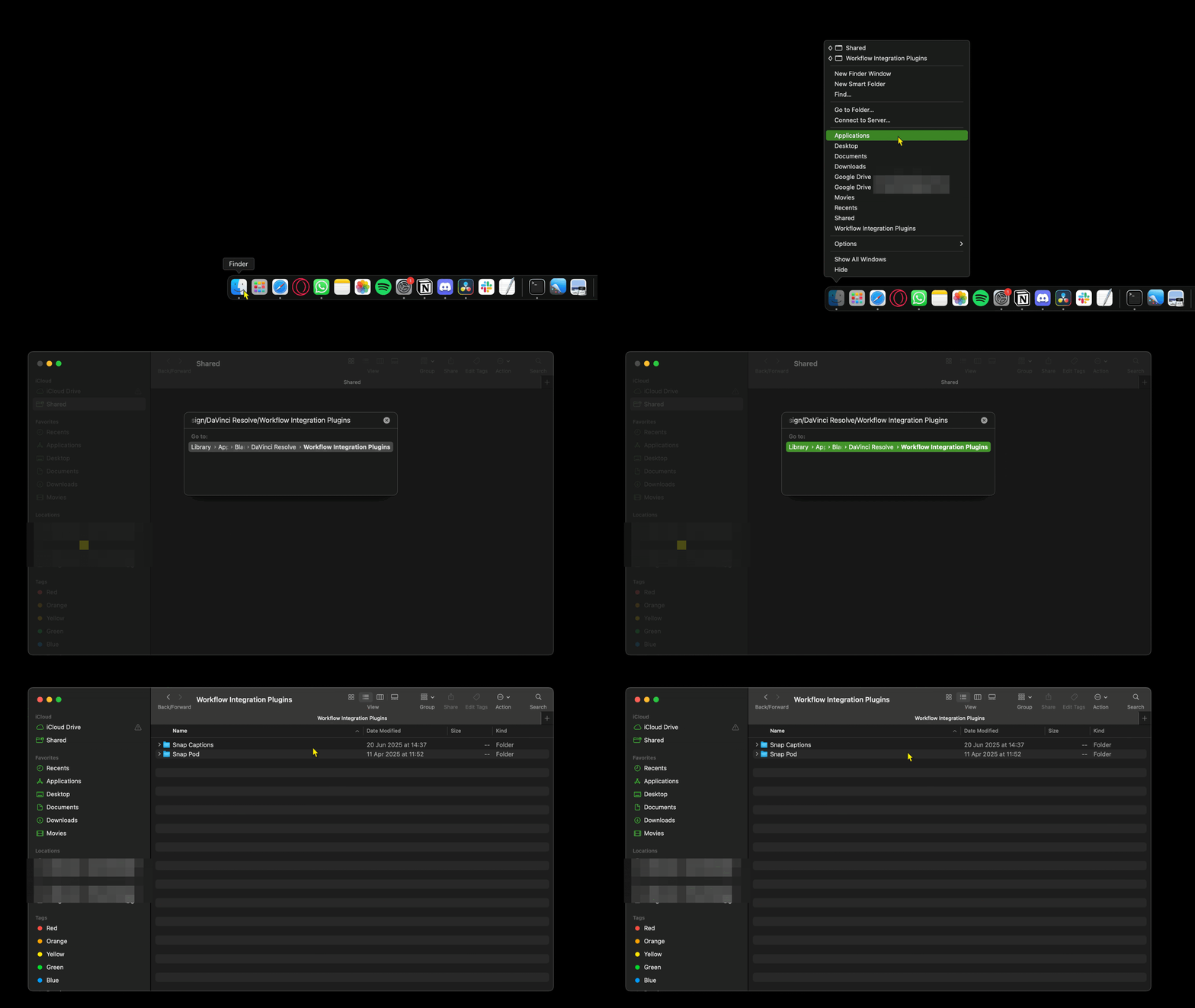
- Delete Snap Captions from this folder
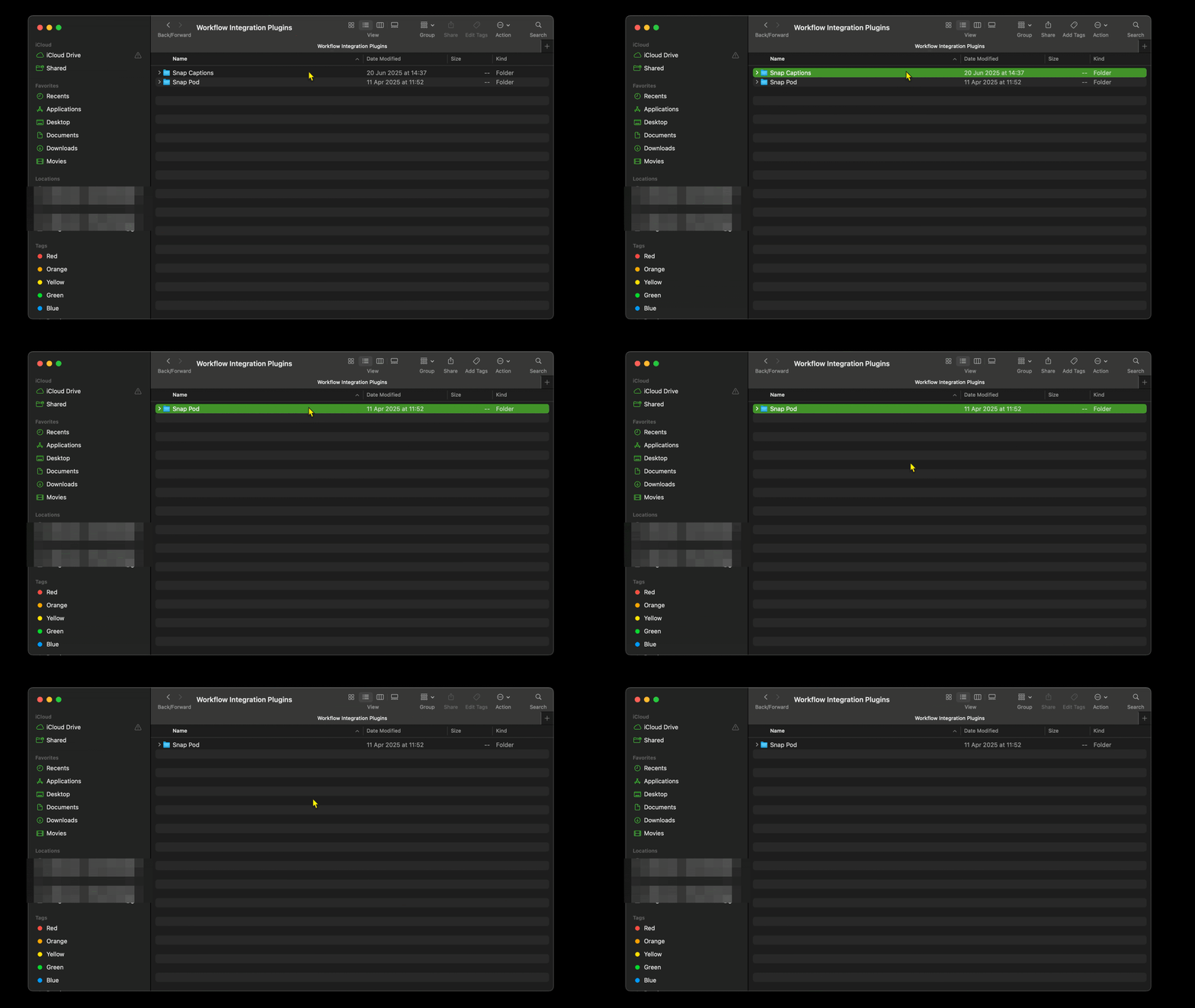
2. Step 2 - Delete The Plugin Support Folder
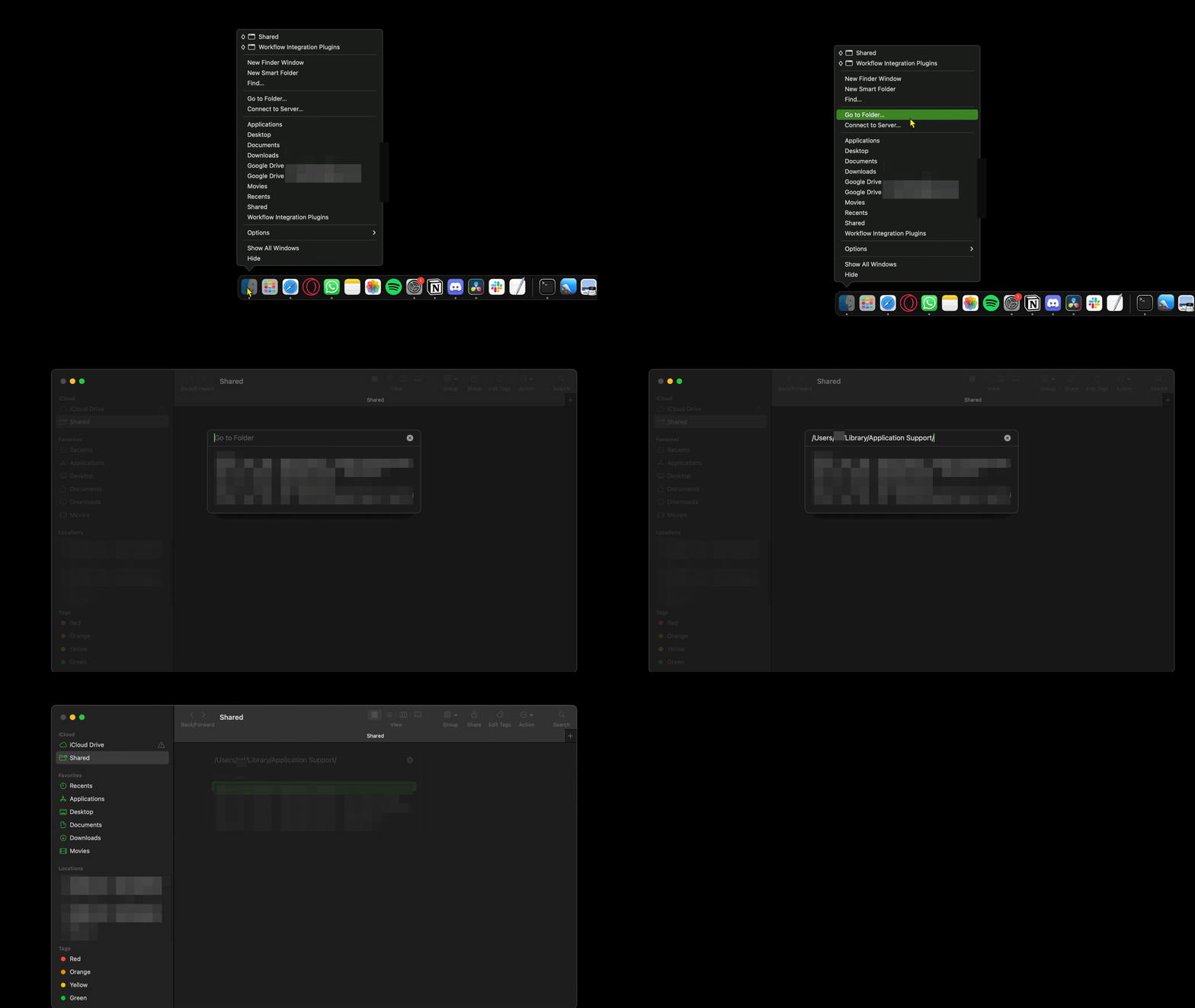
If You’re on Mac:
- Navigate to the following directory:
/Users/[YourUsername]/Library/Application Support/
If You’re on Windows:
- Open File Explorer
- Navigate to the following directory:
C:\ProgramData\Blackmagic Design\DaVinci Resolve\Support\Workflow IntegrationPlugins a- Delete SnapCaptions from this folder
- Delete SnapCaptions from this folder
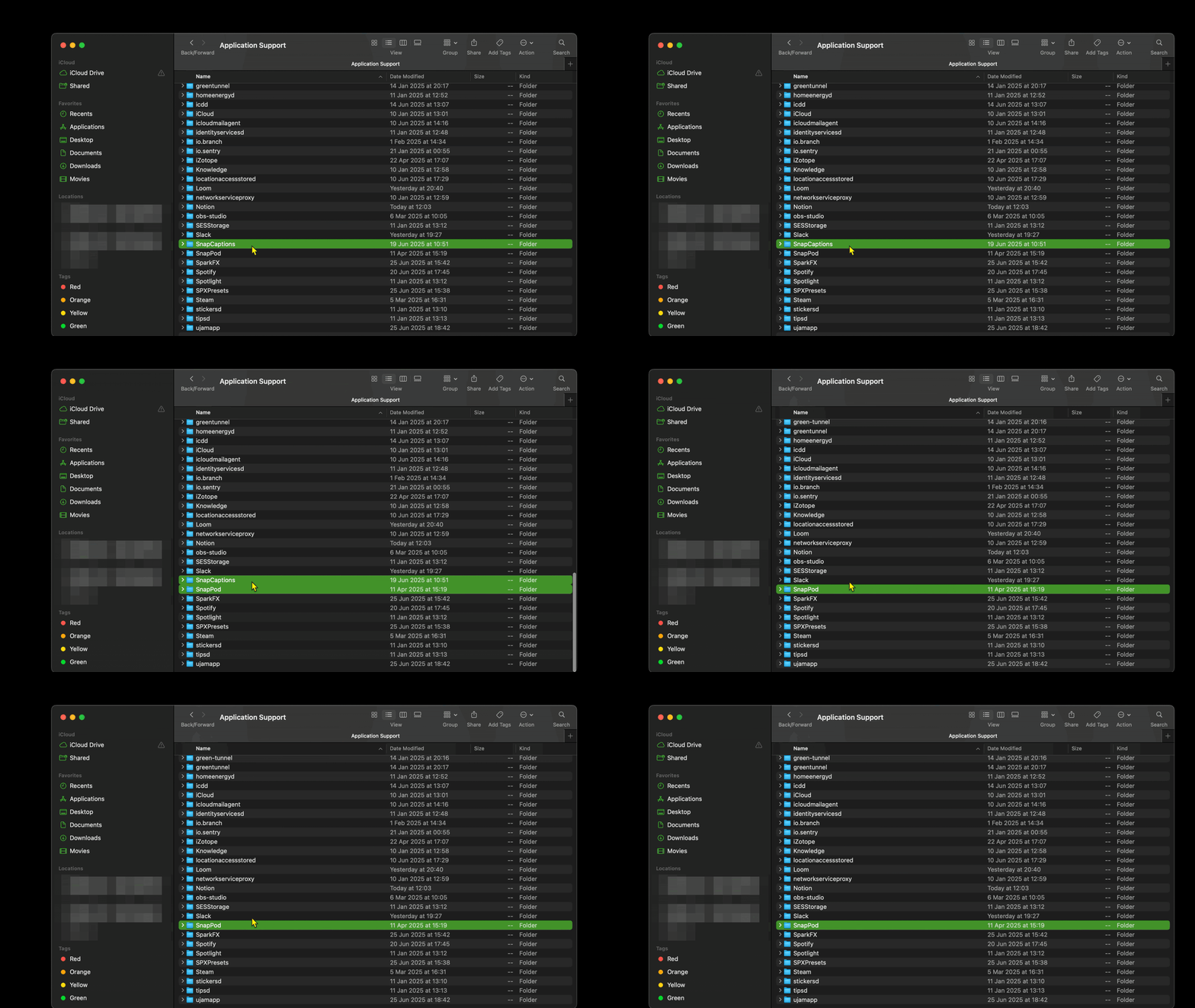
Done, Snap Captions 2 will be successfully un-installed