The Manual Installation Method
Step 1 - Locate Snap Pod
You can find Snap Pod’s install location by going to the following directories:
Windows Install Location
C:\ProgramData\Blackmagic Design\DaVinci Resolve\Support\Workflow Integration Plugins
Apple Install Location
/Library/Application Support/Blackmagic Design/DaVinci Resolve/Workflow Integration Plugins
Optional - Locate The Application Support Folder
For mac users, If you also want to delete the application support folder, it can be found at:
/Users/(username)/Library/Application Support/SnapPod’
Example of how to find file location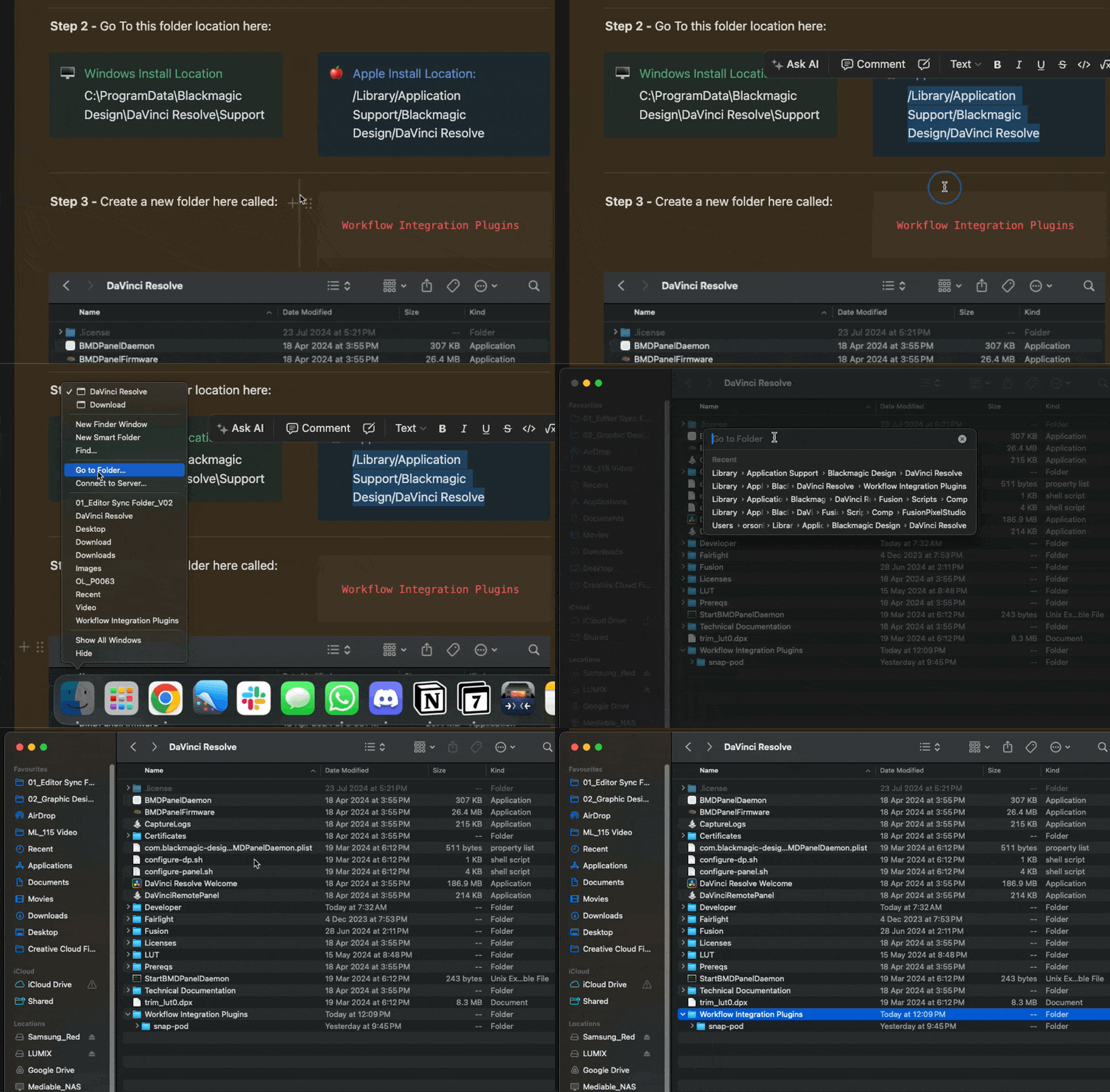
Step 2 - Delete the Snap Pod Folder

Step 4 - That’s It 🙂
You’ve now deleted Snap Pod from DaVinci Resolve and can start a fresh reinstall.